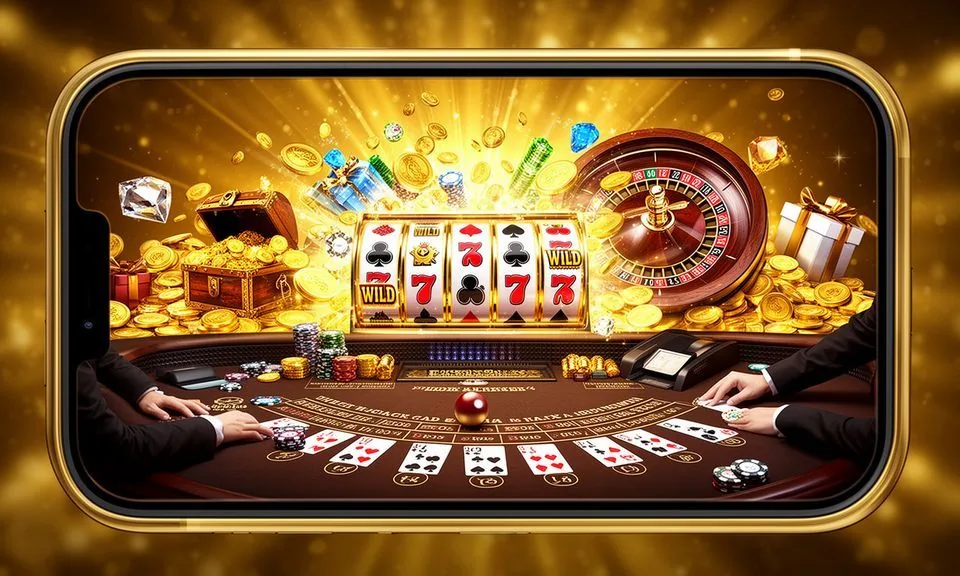
The gk668 lobby loads directly in your mobile browser — no store download required to browse games, check your account or reach support. Whether you want to check if a dedicated app build is currently available, or simply use the mobile web route right now, start from gk668 on your device.
When you open gk668 on a mobile device, the layout shifts to a single-column format that keeps the game lobby, account menu and help pages within thumb reach.
MOBILE PAGE BEHAVIOUR
What the Mobile Layout Gives You
The mobile web layout is the primary access route for gk668 in Bangladesh. Here is what the rendered page behaviour covers on a supported device and browser combination. These are page-level features you can verify by opening the site on your handset right now — no installation needed to confirm them.
Responsive Navigation
The main menu adjusts to a collapsible format on screens under 768px wide. Game categories, the account page and the help section stay reachable from the same collapsed menu, so you never lose your place mid-session when switching sections on a small screen.
Account Access on Mobile
Your wallet balance, deposit history and withdrawal records load in the account area without needing a desktop browser. The account route is the same URL path — just smaller panels. Log in with your registered credentials and the same session state carries across devices.
Game Lobby on Small Screens
Titles like Spinner Star, Cricket Live Lines and Baccarat Lantern appear in the mobile catalogue with the same filters available on desktop. You can sort by category and studio from the mobile game rail, keeping discovery practical when you have limited time.
Help Pages on Device
Support pages, FAQ sections and the published contact routes all render in the mobile layout. You do not need to switch to desktop to read device guidance or find the published support channel — the help section is part of the responsive template throughout.
ACCESS STEPS
Get Into the gk668 Lobby in 3 Steps
Accessing gk668 from a mobile device follows a short sequence you can complete in under a minute on a standard Bangladeshi mobile data connection. There is no APK file to sideload and no app store approval to wait for — the site is where you start.
Open gk668 in your browser
Type the domain directly or use a saved bookmark. Confirm the URL before signing in.
Check your browser is current
A recent version of Chrome, Firefox or Safari handles the full layout. Update if game tiles or menus appear incomplete.
Sign in from the account menu
Tap the account icon in the collapsed header, enter your credentials and your wallet and game history load immediately.
Verify app availability in account settings
If a native app build is live, the download link is published in the account section. Check there before looking elsewhere.
DEVICE COMPATIBILITY CHECK
Check Your Device and Browser Support
Before spending time troubleshooting a display issue, run through the compatibility points below. These reflect what the current mobile web build requires — not invented OS figures, but the practical conditions that determine whether the layout and game lobby load as intended on your handset.
Browser Version
A browser released within the past two years handles the full responsive layout reliably. If the game grid appears misaligned or the account menu fails to open, refreshing after a browser update resolves most cases. Check your browser's About page to confirm the current version.
Screen Layout Rendering
The mobile layout is designed for screens from roughly 360px wide upward. Mid-range Android handsets and current iOS devices both display the collapsed navigation and game rail as intended. Older or non-standard screen ratios may need a browser zoom adjustment.
Account Requirements
Mobile access to the wallet and transaction records requires an active, verified account. If your account is pending verification, the game lobby is still browsable but account-linked actions show a prompt directing you to complete the verification step first.
Mobile Data or Wi-Fi
The lobby and game pages load on standard 4G mobile data connections available across Bangladesh. Live dealer table streams from the catalogue need a stable connection — switching from weak mobile signal to Wi-Fi before starting a live session improves the experience noticeably.
Currently Supported Devices
For the most current list of confirmed compatible devices, check the device guidance published in the help section of the site. This page is maintained by the team and reflects any browser engine changes more accurately than third-party sources.
MOBILE HELP ROUTES
Get Help When Access Issues Come Up
If the mobile layout is not displaying correctly or you cannot reach your account on device, the support routes below are the published channels on gk668.
Live Chat on Site
The live chat widget loads in the mobile layout and is the fastest way to describe a display problem or account access issue directly. Open the help section from the collapsed menu, then tap the chat option shown there. Keep your account email ready for the agent.
Help Section on Mobile
The FAQ and device guidance pages in the help section cover the most common mobile access questions — browser compatibility, login steps and what to do when the game lobby does not load. Read through the published answers before raising a ticket, as many issues have a documented fix.
Account Recovery Path
If you cannot sign in on mobile, use the password recovery link on the login page. The recovery email goes to the address registered on your account. Follow the instructions in that email exactly — the link is time-limited, so complete the reset in the same browser session.
ACCESS SAFETY CHECKS
Stay Secure When Using gk668 on Mobile
Mobile access introduces a few straightforward security habits worth building early. The points below are not abstract advice — they correspond to specific steps visible in your account and on the gk668 domain itself.
Verify the Domain Every Time
Before signing in on any mobile browser, confirm the address bar shows gk668 exactly. Phishing pages sometimes mimic casino layouts closely. A quick look at the domain before tapping the login button is the single most effective check you can do on a mobile device.
Read the Published Device Guidance
The help section of gk668 contains device and browser guidance written by the team. This is the authoritative source for what is supported — not app store listings, not third-party mirrors. If guidance there contradicts something you read elsewhere, go with the published page on the official domain.
Protect Your Account Credentials
Do not save your gk668 password in a shared browser profile or a browser that other people use on the same device. If you use a shared handset, sign out fully after each visit. The account menu shows a sign-out option in the footer of the mobile layout.
Use the Published Recovery Path
If you suspect your account credentials have been compromised, use the recovery route on the login page immediately and contact support via live chat. Do not attempt account recovery through a third-party service — the only valid recovery steps are those published on gk668 itself.
APP QUESTIONS ANSWERED
Common Questions About the gk668 App
These are the questions we see most often from people in Bangladesh looking to access gk668 on a mobile device. Each answer reflects what is currently published on gk668 — not assumptions about features that may or may not exist.
Does gk668 have a native app I can download from the Play Store or App Store?
At the time of writing, the primary access route is the mobile web version at gk668. If a native app build becomes available, the download link will be published in the account section of the site. Check there first rather than searching app stores, where unofficial versions may appear.
Can I access my gk668 account wallet on a mobile browser?
Yes — the account wallet, deposit history and transaction records all load in the mobile browser layout. Sign in using the account icon in the collapsed menu. Your Nagad or Upay linked payment details are visible in the wallet section once you are signed in on device.
Which browsers work with the gk668 mobile site?
Current versions of Chrome, Firefox and Safari handle the full responsive layout, including the game rail and live casino section. Very old browser versions may not render all sections correctly. Updating your browser through your device settings is the straightforward fix if something looks broken.
Why is the game lobby not loading properly on my Android handset?
The most common causes are an outdated browser, a weak mobile data signal or a cached page causing display conflicts.
Is there an APK file I can sideload to get the gk668 app?
We do not publish APK files through third-party sites. Any APK claiming to be gk668 from an unofficial source has not been verified by us and carries security risk. Use gk668 directly in your mobile browser — the site is built to work without a separate file installation.
Can I watch live dealer tables from gk668 on mobile data?
Live dealer streams from titles in the catalogue do run on mobile data, though a stable 4G connection gives a noticeably smoother experience than a weak signal. If you are on a congested or slow connection, switching to Wi-Fi before starting a live table session is the practical step we recommend.
 Casino / Sports